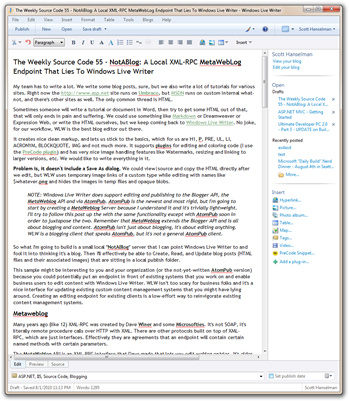
 My team has to write a lot. We write some blog posts, sure, but we also write a lot of tutorials for various sites. Right now the http://www.asp.net site runs on Umbraco, but MSDN runs on custom internal what-not, and there's other sites as well. The only common thread is HTML.
Sometimes someone will write a tutorial or document in Word, then try to get some HTML out of that, that will only ends in pain and suffering. We could use something like Markdown or Dreamweaver or Expression Web, or write the HTML ourselves, but we keep coming back to Windows Live Writer. No joke, for our workflow, WLW is the best blog editor out there.
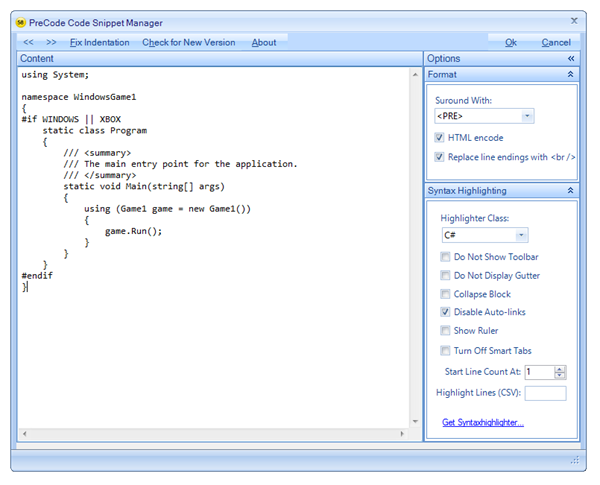
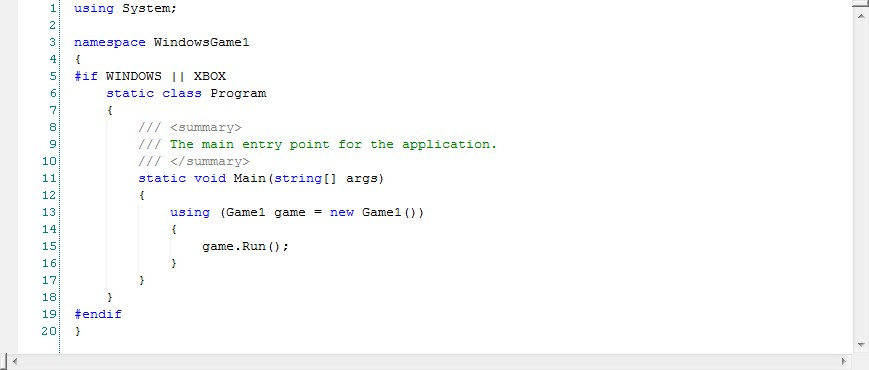
It creates nice clean markup, and lets us stick to the basics, which for us are H1, P, PRE, UL, LI, ACRONYM, BLOCKQUOTE, IMG and not much more. It supports plugins for editing and coloring code (I use the PreCode plugin) and has very nice image handling features like Watermarks, resizing and linking to larger versions, etc. We would like to write everything in it.
Problem is, it doesn't include a Save As dialog. We could view|source and copy the HTML directly after we edit, but WLW uses temporary image links of a custom type while editing with names like $whatever.png and hides the images in temp files and opaque blobs.
NOTE: Windows Live Writer does support editing and publishing to the Blogger API, the MetaWeblog API and via AtomPub. AtomPub is the newest and most rigid, but I'm going to start by creating a MetaWeblog Server because I understand it and it's trivially lightweight. I'll try to follow this post up the with the same functionality except with AtomPub soon in order to juxtapose the two. Remember that MetaWeblog extends the Blogger API and is all about blogging and content. AtomPub isn't just about blogging, it's about editing anything. WLW is a blogging client that speaks AtomPub, but it's not a general AtomPub client.
So what I'm going to build is a small local "NotABlog" server that I can point Windows Live Writer to and fool it into thinking it's a blog. Then I'll effectively be able to Create, Read, and Update blog posts (HTML files and their associated images) that are sitting in a local publish folder.
This sample might be interesting to you and your organization (or the not-yet-written AtomPub version) because you could potentially put an endpoint in front of existing systems that you work on and enable business users to edit content with Windows Live Writer. WLW isn't too scary for business folks and it's a nice interface for updating existing custom content management systems that you might have lying around. Creating an editing endpoint for existing clients is a low-effort way to reinvigorate existing content management systems.
Metaweblog
Many years ago (like 12) XML-RPC was created by Dave Winer and some Microsofties. It's not SOAP, it's literally remote procedure calls over HTTP with XML. There are other protocols built on top of XML-RPC, which are just interfaces. Effectively they are agreements that an endpoint will contain certain named methods with certain parameters.
The MetaWeblog API is an XML-RPC interface that Dave made that lets you edit weblog entries. It's older, but it's effectively universal. Here's an example of what an XML-RPC call looks like.
  examples.getSomething


        70
Charles Cook created an amazing and elegant library called XML-RPC.NET and has given it to the community. He's kept it working nicely such that I was able to get it working in my .NET 4.0 application without any modification even though I was using an older 1.0.0.8 version for .NET 1.0 in my first version. That's a testament to Charles' work. Later I downloaded the latest 2.4.0 from 2008 and it worked nicely also and fixed some bugs.
In 2008, Keyvan Nayyeri created a nice little MetaWeblog ASP stub in ASP.NET so I started building with that. I just return true in the ValidateUser method, because this is for local editing. I lie (return hard-coded stuff in a few places) to Windows Live Writer.
Here's what the interface looks like:
namespace NotABlog
{
    public interface IMetaWeblog
    {
        #region MetaWeblog API

        [XmlRpcMethod("metaWeblog.newPost")]
        string AddPost(string blogid, string username, string password, Post post, bool publish);

        [XmlRpcMethod("metaWeblog.editPost")]
        bool UpdatePost(string postid, string username, string password, Post post, bool publish);

        [XmlRpcMethod("metaWeblog.getPost")]
        Post GetPost(string postid, string username, string password);

        [XmlRpcMethod("metaWeblog.getCategories")]
        CategoryInfo[] GetCategories(string blogid, string username, string password);

        [XmlRpcMethod("metaWeblog.getRecentPosts")]
        Post[] GetRecentPosts(string blogid, string username, string password, int numberOfPosts);

        [XmlRpcMethod("metaWeblog.newMediaObject")]
        MediaObjectInfo NewMediaObject(string blogid, string username, string password, MediaObject mediaObject);

        #endregion

        #region Blogger API

        [XmlRpcMethod("blogger.deletePost")]
        [return: XmlRpcReturnValue(Description = "Returns true.")]
        bool DeletePost(string key, string postid, string username, string password, bool publish);

        [XmlRpcMethod("blogger.getUsersBlogs")]
        BlogInfo[] GetUsersBlogs(string key, string username, string password);

        [XmlRpcMethod("blogger.getUserInfo")]
        UserInfo GetUserInfo(string key, string username, string password);

        #endregion
    }
}
You just need to derive from Charles' XmlRpcService and he'll handle the routing of the HTTP POSTs and the calling of the methods and tearing apart of the parameters. (Actually, as a curiosity back in the ASP.NET MVC 1.0 timeframe both Phil and I write XmlRpcRoutes and supporting samples just to see if it was possible. It is.)
The idea is to catch the calls and just redirect them to the file system. Here's a simple example:
string IMetaWeblog.AddPost(string blogid, string username, string password,
    Post post, bool publish)
{
    if (ValidateUser(username, password))
    {
        string id = string.Empty;
        string postFileName;
        if (String.IsNullOrEmpty(post.title))
            postFileName = Guid.NewGuid() + ".html";
        else
            postFileName = post.title + ".html";

        File.WriteAllText(Path.Combine(LocalPublishPath, postFileName), post.description);

        return postFileName;
    }
    throw new XmlRpcFaultException(0, "User is not valid!");
}
Go run it yourself if you like. Here's how.
Setting up your Local Publishing Endpoint
First, edit the web.config and change your local publish directory if you like. Currently it just puts posts in a folder .\LocalPublish in the current directory of your web application. Free free to change it. I put it in my desktop.
Since this is a web application, I need a Web Server to run it under. I didn't want to require Visual Studio or IIS to run it, so I figured I'd use IIS Express from WebMatrix to do it since it's free and you don't need to be Admin to run it (except on Win2k3). Install WebMatrix and you'll get IIS Express.
I created a batch file called StartNotABlog.bat and put this in it:
SET ExecPath=%ProgramFiles(x86)%
IF "%ExecPath%" == "" SET ExecPath = "%ProgramFiles%

"%ExecPath%\Microsoft WebMatrix\iisexpress.exe" /path:"%CD%" /port:12345
It's pretty straightforward and it'll work on both x86 and x64. It starts up a Web Server on port 12345 with the current directory (that the batch file is running in, not the environment's current directory) as the path.
Now, start up Windows Live Writer. Add a blog, select Other...
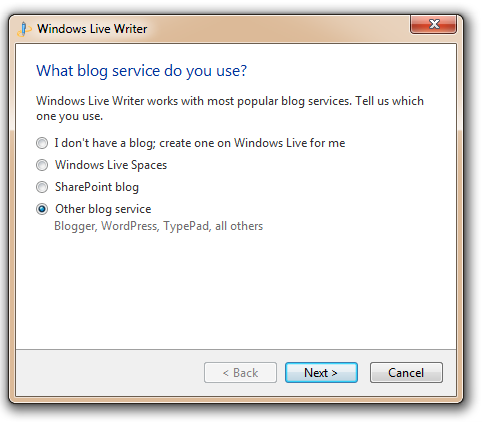
And select "Metaweblog API" as the type.
_3.png "Choose a Blog Type")
Put in http://localhost:12345/MetaWeblogAPI.ashx as the remote posting URL.
_3.png "Enter your remote posting URL")
There's no username or password so just put in something.
_3.png "Windows Live Writer (2)")
Click Next and Finish and go edit a post! I'm using it now to edit a 3000 word tutorial on ASP.NET.

Not a Blog.zip. Download the Code and have fun playing with it. There's actually not much there but it's already changed how I do my job. Now the trick will be to show the bosses how easy it is to give anything an endpoint that WLW will talk to. Maybe this blog post will help. ;)
Hosting By

 My two-hundred-and-twenty-fifth podcast is up. Scott chats with Jason Dentler about NHibernate and their new 3.0 release. Jason is the author of the upcoming "NHibernate 3 Cookbook" from Packt Publishing. Is NHibernate hard and scary? Jason gets Scott up to speed and talks open source community.


 Building quality software is never easy. It requires skills and imagination. We cannot promise to improve your skills, but when it comes to User Interface and developer tools, we can provide the building blocks to take your application a step closer to your imagination. Explore the leading UI suites for ASP.NET AJAX,MVC,Silverlight,Windows Formsand WPF. Enjoy developer tools like .NET reporting,ORM,Automated Testing Tools, TFS, and Content Management Solution. And now you can increase your productivity with JustCode, Telerik’s new productivity tool for code analysis and refactoring. Visitwww.telerik.com.


 Are you in King County/Seattle/Redmond/Bellevue Washington and surrounding areas? Are you a huge